> ## Documentation Index
> Fetch the complete documentation index at: https://docs.btsscorp.com/llms.txt
> Use this file to discover all available pages before exploring further.
# Pre-Release Versions
> Try new features early with pre-release versions
## Overview
Get early access to new Koala Data Explorer features through VS Code's pre-release channel. Test upcoming improvements and help shape the extension's development.
The "Switch to Pre-Release Version" button only appears when a pre-release version is available.
## How to Install
### Switch to Pre-Release
1. **Open Extensions** (`Ctrl+Shift+X` / `Cmd+Shift+X`)
2. **Search for "Koala Data Explorer"**
3. **Click the extension** to view details
4. **Click "Switch to Pre-Release Version"** (when available)
5. **Reload VS Code** when prompted
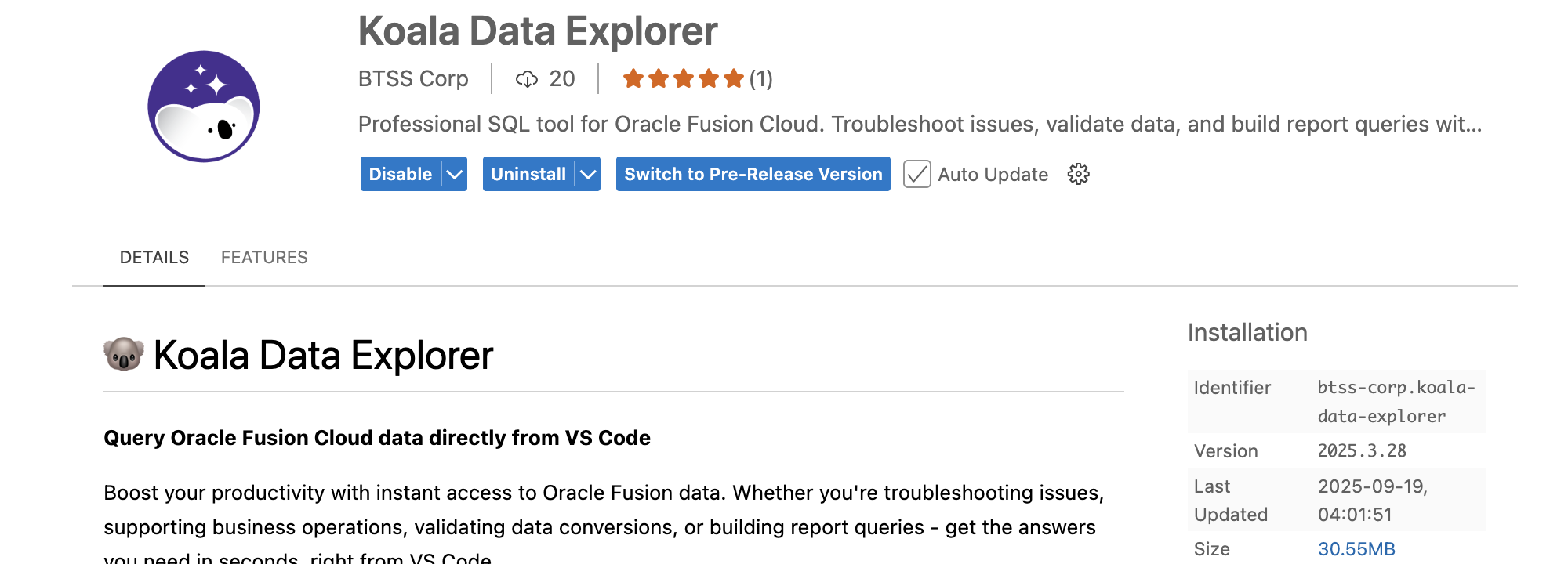 The button only appears when there's a pre-release version to install. VS Code automatically manages the pre-release channel.
### Identifying Pre-Release
When using a pre-release version:
* **"Pre-Release" badge** appears in the Extensions view
* **Version info** shows in the extension's About dialog
* **More frequent updates** than the stable channel
## Why Try Pre-Release?
* **Early access** to new features and improvements
* **Help shape development** with your feedback
* **Get fixes faster** for reported issues
## Providing Feedback
### Report Issues
Submit feedback through our [support portal](https://btsscorp.freshdesk.com/support/tickets/new) or email [support@btsscorp.com](mailto:support@btsscorp.com).
Include:
* Pre-release version number
* Steps to reproduce any issues
* Your VS Code version
* Operating system
## Switch Back to Stable
To return to the stable version:
1. **Open Extensions**
2. **Find Koala Data Explorer**
3. **Click "Switch to Release Version"**
4. **Reload VS Code**
## FAQ
### Is it safe to use?
Yes, pre-release versions maintain the same read-only access and security. They may have minor bugs in new features.
### Does it need a separate license?
No, your existing license works with both stable and pre-release versions.
### How often are updates released?
Pre-release updates are more frequent than stable releases, typically weekly when new features are being developed.
## Next Steps
Alternative installation methods
Submit feedback or report issues
The button only appears when there's a pre-release version to install. VS Code automatically manages the pre-release channel.
### Identifying Pre-Release
When using a pre-release version:
* **"Pre-Release" badge** appears in the Extensions view
* **Version info** shows in the extension's About dialog
* **More frequent updates** than the stable channel
## Why Try Pre-Release?
* **Early access** to new features and improvements
* **Help shape development** with your feedback
* **Get fixes faster** for reported issues
## Providing Feedback
### Report Issues
Submit feedback through our [support portal](https://btsscorp.freshdesk.com/support/tickets/new) or email [support@btsscorp.com](mailto:support@btsscorp.com).
Include:
* Pre-release version number
* Steps to reproduce any issues
* Your VS Code version
* Operating system
## Switch Back to Stable
To return to the stable version:
1. **Open Extensions**
2. **Find Koala Data Explorer**
3. **Click "Switch to Release Version"**
4. **Reload VS Code**
## FAQ
### Is it safe to use?
Yes, pre-release versions maintain the same read-only access and security. They may have minor bugs in new features.
### Does it need a separate license?
No, your existing license works with both stable and pre-release versions.
### How often are updates released?
Pre-release updates are more frequent than stable releases, typically weekly when new features are being developed.
## Next Steps
Alternative installation methods
Submit feedback or report issues